◀ Back to Games

The Mix Archives

An investigative narrative game about conspiracy theories and online radicalisation. Browse news articles from a mix of credible and not-so-credible sources, share them with your growing following, and watch the community you built begin to drift. Your clicks have consequences.
Year2022, 2023
RoleCo-Game Designer · UI/UX
Studiowith Nyusha Impolski, Jet Vellinga, Chros Wang
StackUnity / C# · LeanTween
PlatformPC
Trailer embed
Replace placeholder with <iframe> or <video>
A short trailer through the news page, the social feed, and the slow drift of the recommended-articles rail.
i.

The brief

You play a small news curator. You browse articles from a mix of credible and not-so-credible sources, you share the ones that catch your eye, and a community builds up around you. The articles look like newspapers. The recommendations look helpful. Comments arrive. Then they start to feel different. Then they start to feel wrong. The Mix Archives is a game about how the small, ordinary act of sharing a link slowly reshapes the world around the sharer.

Nothing dramatic happens in any single click. By the end, everything is different.

ii.

The approach

The first decision was to keep the visual language away from the blues and whites of social media. The Mix Archives reads as a newspaper-curator interface, an ink-and-paper palette, distinct typography per outlet, no familiar app shells. The goal was to make the player look at the news the way they used to before everything online started to feel the same.

The second was a cluttered, subscription-asking, ad-flooded interface that gets progressively unhinged as the player keeps clicking. The ads were inspired by the actual reading experience of news websites today, but tilted just enough that the player notices the shift over time.

The third was that radicalisation should be visible without being announced. The community around the player changes. The recommended articles drift. New voices appear in the chat. None of it is labelled. By the time the player is paying attention, they’re already mid-way down the road.

Visual reference, newspaper palette + cluttered news-site UX
Replace with moodboard or process shot
Fig 1. Two languages on the same screen, the sober paper outlets, the desperate ads. The drift lives in the gap between them.
None of it is labelled. By the time the player is paying attention, they’re already mid-way down the road.
Design notes
iii.

The work

Most of what I built on this project was UI, the surfaces the player actually clicks. Six pieces in particular shaped the feel.

One · News Page
One page, increasingly unhinged

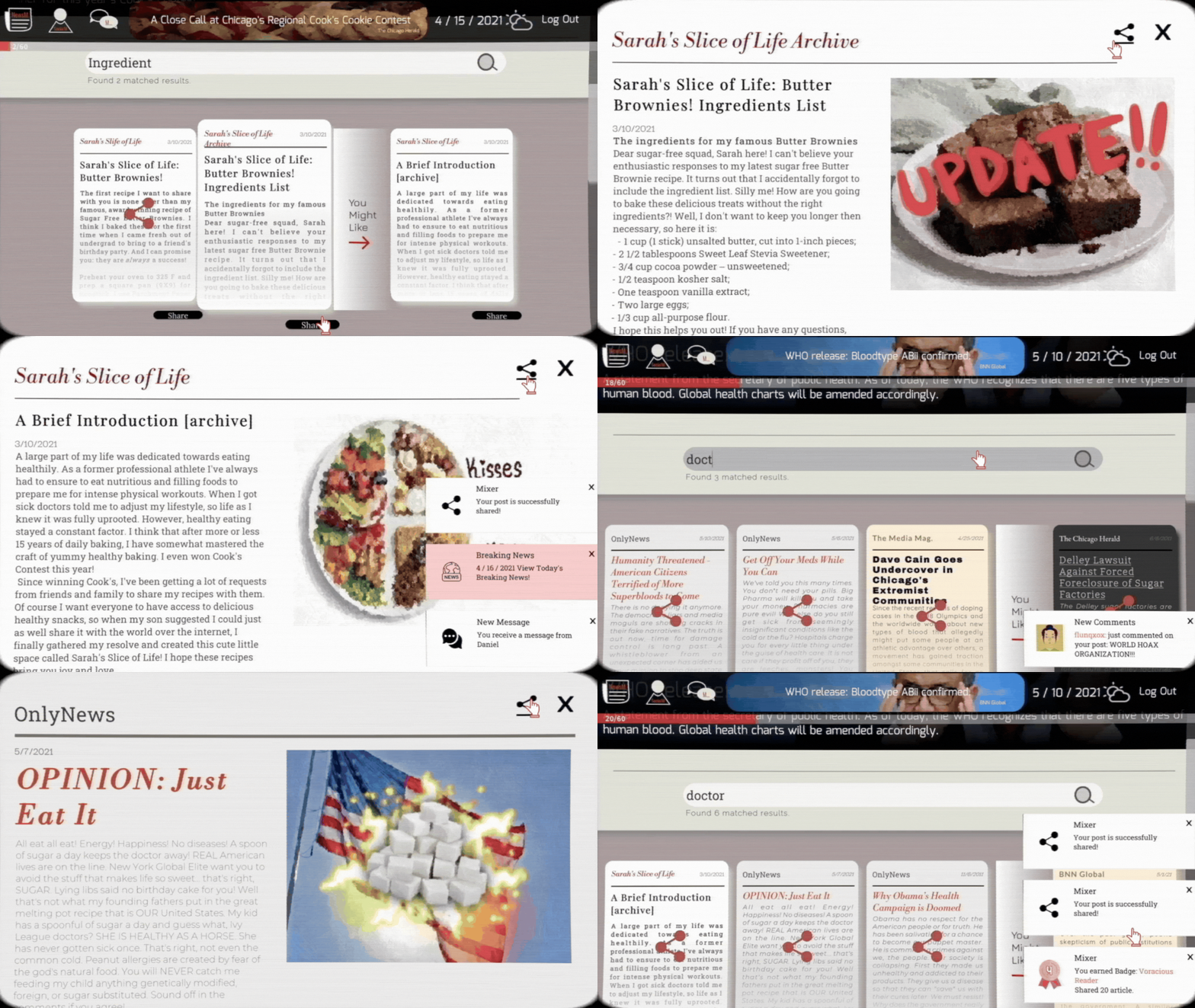
The original prototype had two pages, one for top news, one searchable, and we collapsed them into a single News Page for ease of access. It’s meant to feel like a real cluttered news site, flooded with ads that become more unhinged the deeper the player goes. Articles already read carry a small share icon. Different outlets have distinct paper styles, colours, fonts, ideological lean, so the player can read where a piece is coming from before they read the piece itself. The share button is intentionally simple, one click, no friction. The “You might like” rail starts adjacent to what the player has already shared, and gradually radicalises from there.

News Page, cluttered, ad-flooded, one-click share
Replace with capture
Fig 2. The page the player lives on, outlet variety on top, increasingly hostile ads in the margins, a quiet recommendation rail that doesn’t stay quiet.
Two · Articles
A curator, not a news app

Each article lives on its own page. Title, body text, the newspaper’s name, the date, a share-and-favourite icon, a relevant image, and a blocked-off subscription button. Different news organisations get different paper styles, distinct colours, fonts, and tone. Early on we leaned into mimicking those outlet brands directly, but eventually the game settled into a sleeker newspaper-style template, with the website acting as a curator of news rather than an outlet itself.

Article page, primary outlet
Replace with capture
Article page, alternate outlet
Replace with capture
Three · Breaking News
Same information, different register

Breaking News items contain the same information as standard articles but read differently. Every image in the game is run through a consistent filter pass so the whole thing feels like it belongs to the same paper world, the breaking-news pieces are the most dramatic-looking, but they don’t break the visual contract.

Breaking News item, filtered image, paper template
Replace with capture
Fig 3. A consistent filter pass on every image keeps the world of the game intact even at its loudest.
Four · Navigation
From iPhone-style switcher to fixed TaskBar

Originally the player could press a button at the bottom of any article to pull up a quick share / favourite tray. Once we cut “favourite” as a mechanic, that opened into a simple share button. The original task manager moved across the scene like an iPhone’s app switcher, with placeholder art for each section of the game. We replaced it with a fixed TaskBar that stays on screen as the player scrolls, partly because the moveable bar was easy to miss, and partly because we needed the player to engage with the Breaking News by default, so we surfaced a permanent shortcut to it on the bar. The TaskBar links to the News Page, the Mix Archives (the player’s social media page), and Chat.

Before, moveable iPhone-style switcher
Replace with capture
After, fixed TaskBar with Breaking News shortcut
Replace with capture
Five · Social Media Page
The community that grows around you

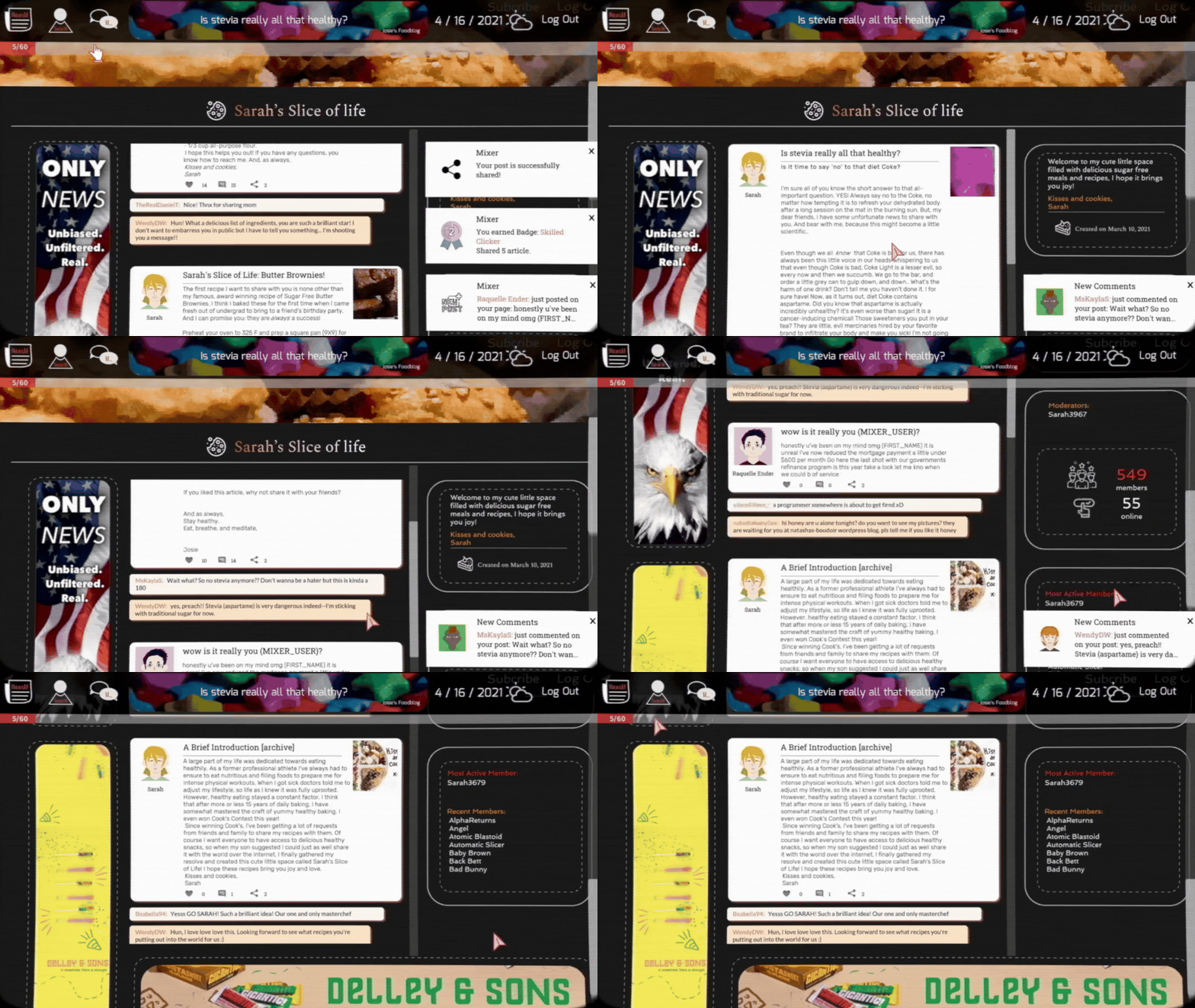
The Mix Archives is the player’s own page on the network. Every article they share lands here, accumulating comments and engagement from a community that follows them. Other people post to the page too, and as the player’s shared content drifts, the community around them drifts alongside. Eventually the player is overthrown as the moderator of their own page. Visually the page stays mostly stable from beginning to end. The shift is in who’s talking, not what the page looks like.

Social Media Page, the player’s feed of shared articles
Replace with capture
Fig 4. The page that doesn’t change visually as the community on it changes everything else about the game.
Six · Notifications & Chat
A cutscene with a fast-forward button

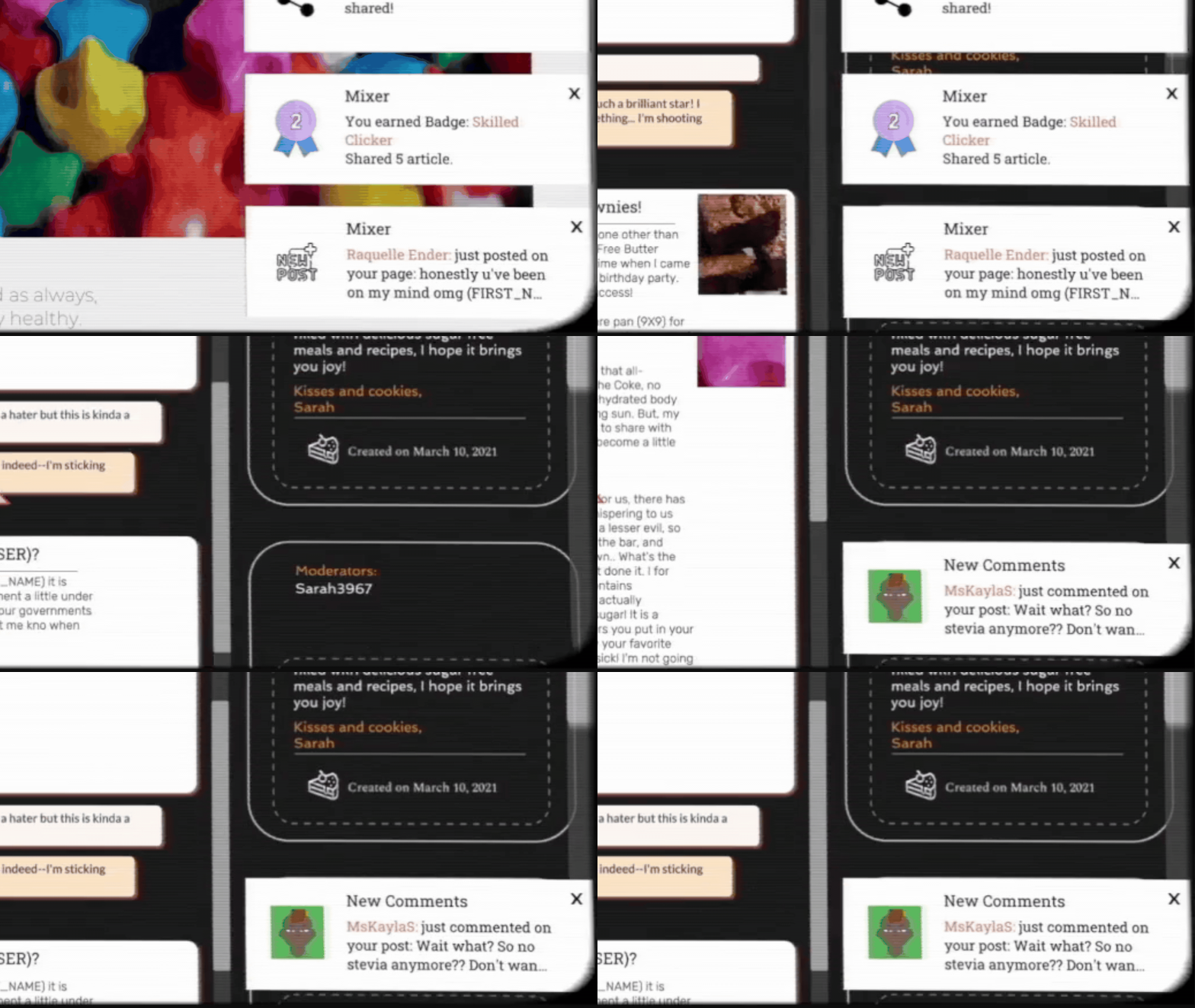
Notifications and direct messages slide in from the sides using LeanTween, a small motion that catches the eye without ever being modal. The chat itself works more like a cutscene than a real conversation, the dialog plays out at its own pace, with a fast-forward button if the player wants to move through it faster. It’s one of the few places in the game where the writing leads and the player follows.

Side-slide notification
Replace with capture
Chat, cutscene flow with fast-forward
Replace with capture
iv.

How it landed

Built at NYU Game Center across the MFA program. The most common question players asked after a session was a version of when did the recommendations start to drift?, which is the exact question the design was built to provoke.

The Mix Archives lives in a category that doesn’t quite have a shelf, somewhere between a satire, a UI study, and a quiet essay about reading the internet. People kept finishing it and then opening their own phones a little more carefully for the next few minutes. That is the part I keep watching.

Credits

Team

Nyusha Impolski
Jet Vellinga
Chros Wang

Co-designed and co-built across an MFA cohort.

Tools

Unity · C#
LeanTween
Figma · Photoshop

Recognition

NYU Game Center · MFA project

Next project
Patti Veedu